





Before using the new RuKidsClub website, please take a moment to review your account information.
We use this information throughout the website for lesson bookings, teacher assignments, payments, lesson credits, and your upcoming classes.
1. Check your account information
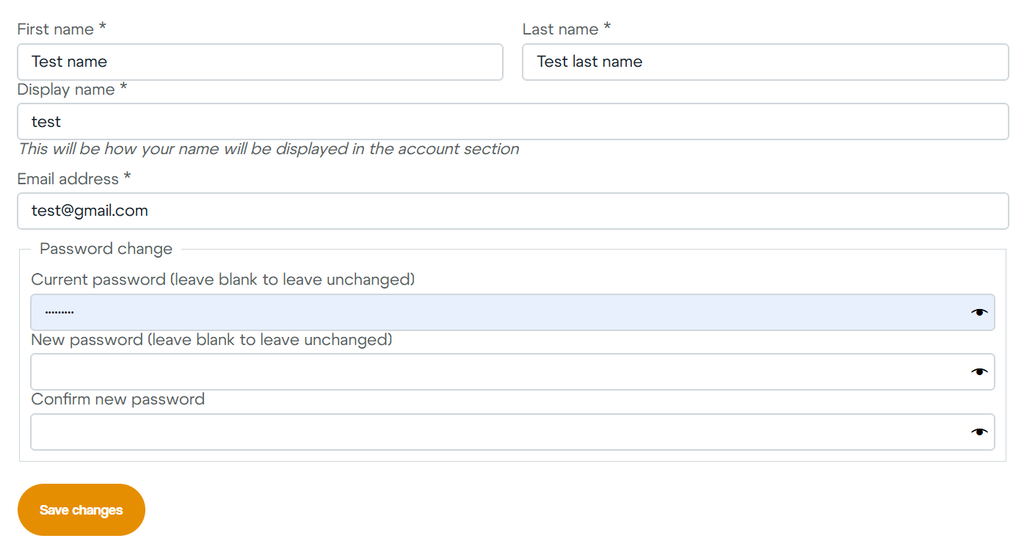
Go to My Account → Account Settings.
Please make sure your:
- First name
- Last name
- Display name
- Email address
are correct.
If you make any changes, click Save changes.
2. Check your students
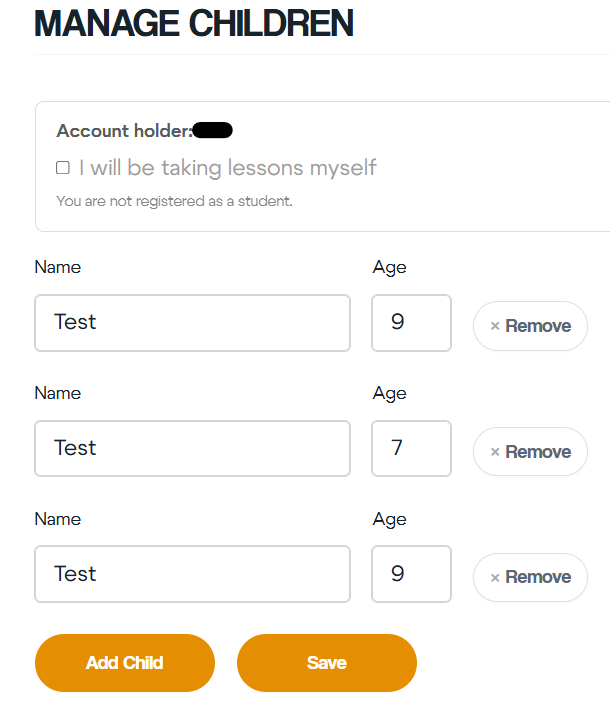
Go to My Account → Manage Children.
Some existing RuKidsClub families may already have their children listed. Please check the information already in your account before adding a new child.
For each child, make sure:
- the name is correct;
- the age is correct;
- the child is not listed more than once.
If everything is correct, you do not need to add the child again.
If a child is missing, click Add Child, enter their name and age, and then click Save.
3. Taking lessons yourself?
If the account holder also takes lessons at RuKidsClub, check:
I will be taking lessons myself
You do not need to select this option if only your children take classes.
Why is this important?
Your account information helps RuKidsClub connect the correct student with their:
- teacher;
- lesson bookings;
- lesson packages and credits;
- payments;
- upcoming lessons.
Please check this information before making your first booking on the new website.